Visitor Log
Every visit with its IP address, location, referrer, device and the pages it viewed in order.

Every visit. Every source.
REMAGINE Analytics shows you who visits your website and how they found you, down to the exact page that linked to you. See every visit with its IP address, location and click path, follow your channels and campaigns, and watch visitors arrive live. It’s invitation-only for now.
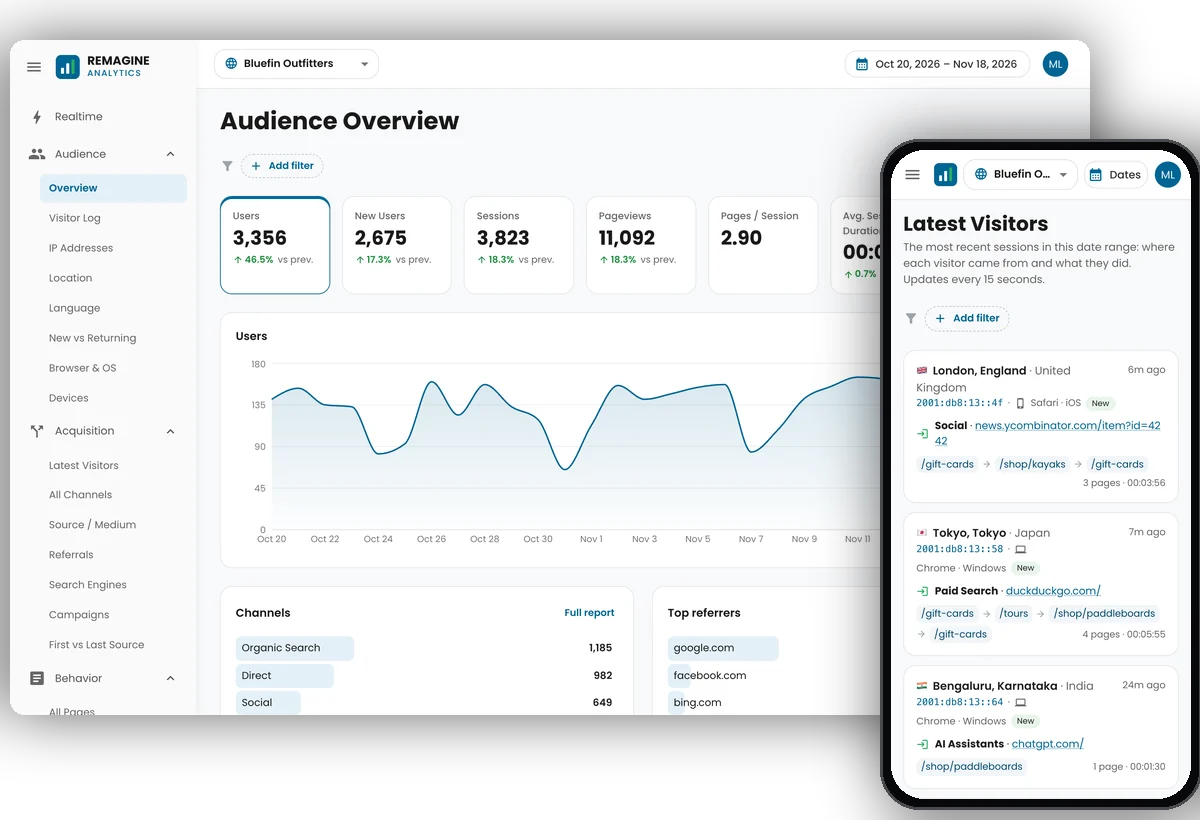
The reports you need to understand your traffic, with the detail to act on it: who came, where from, what they did and where they left.
A look around with the traffic of a made-up outdoor shop. Click any screenshot to see it full size.
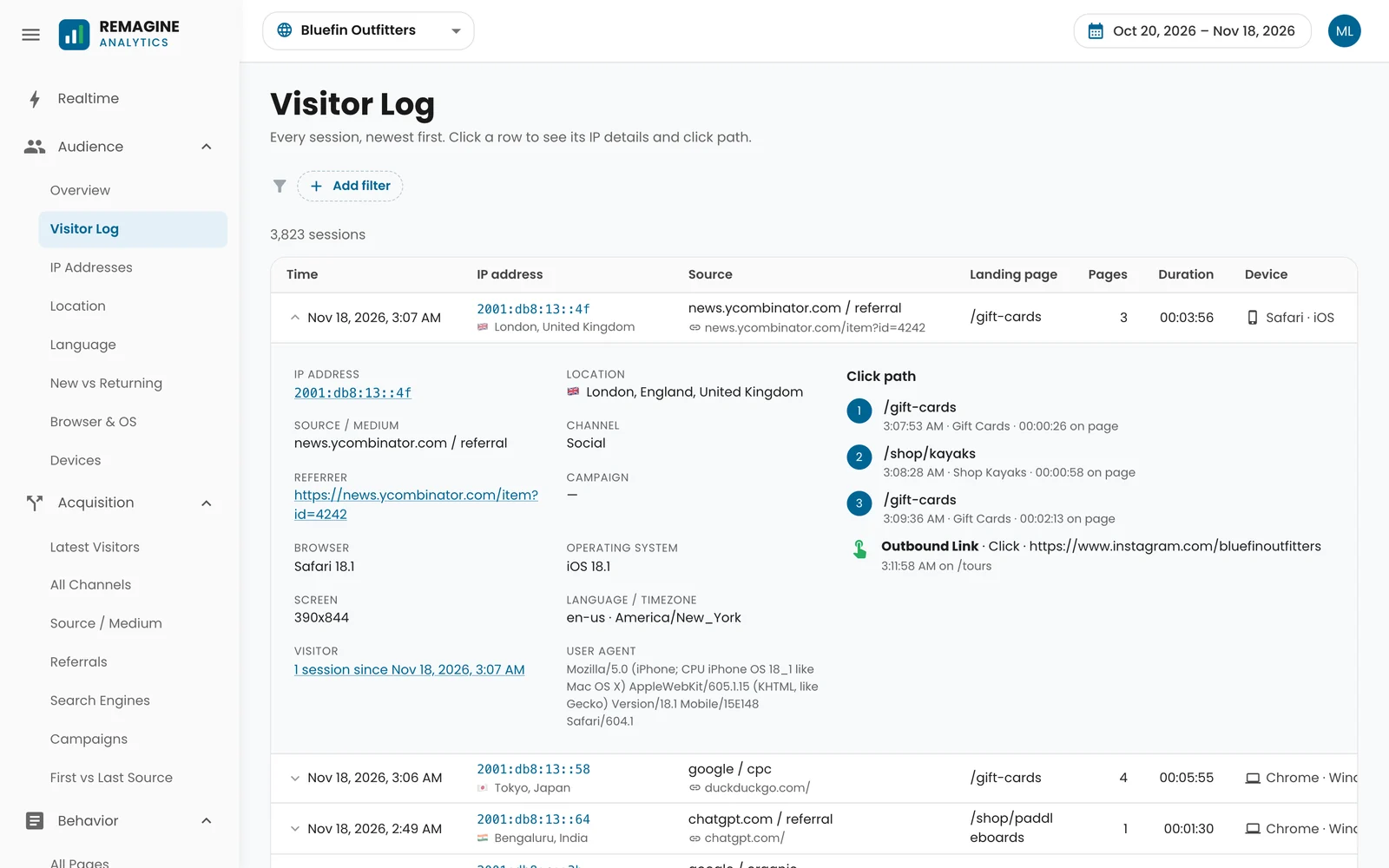
Every session, newest first. Open one to see its IP address and location, the site or link that sent it, its campaign, browser, device and screen, and every page it viewed in order with the time spent on each, plus the links and downloads it clicked.
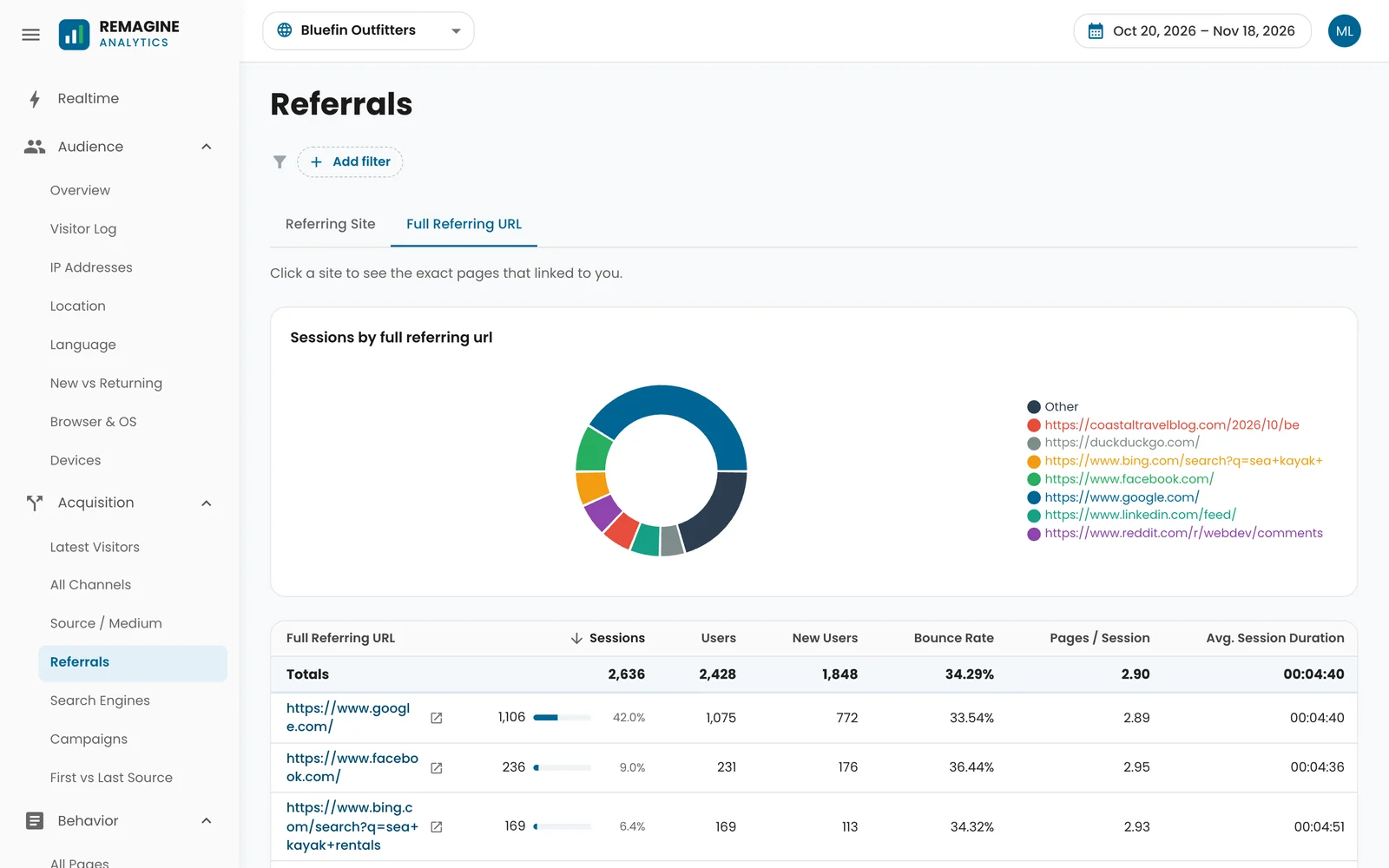
Not just the site that sent a visitor, but the full address of the page with the link on it: the blog post, the forum thread, the search with its terms. Click any one to open it and see what people saw.
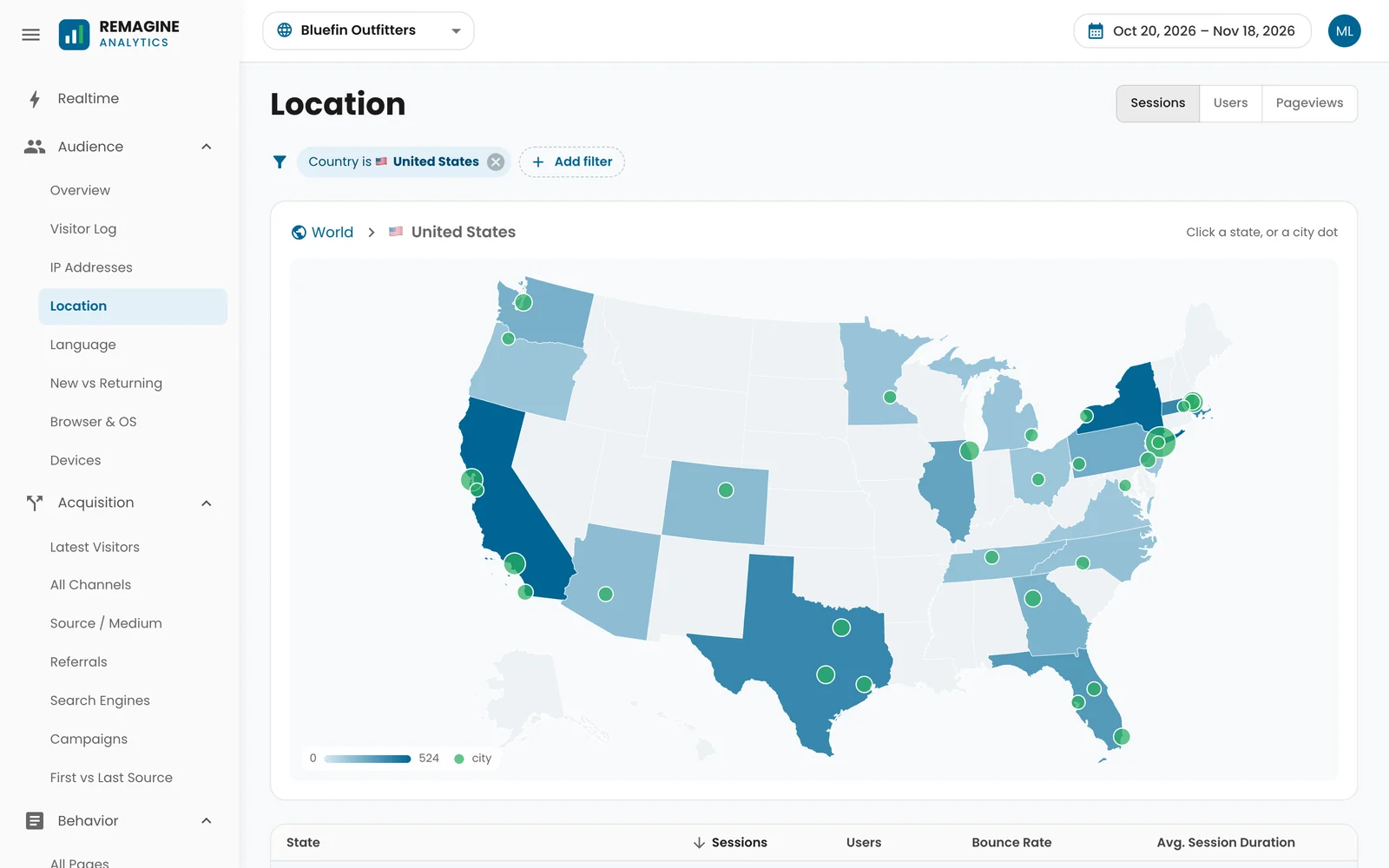
Start with the world shaded by traffic. Click a country to see its states, click a state to see its cities, and click a city to see the visits that came from there.
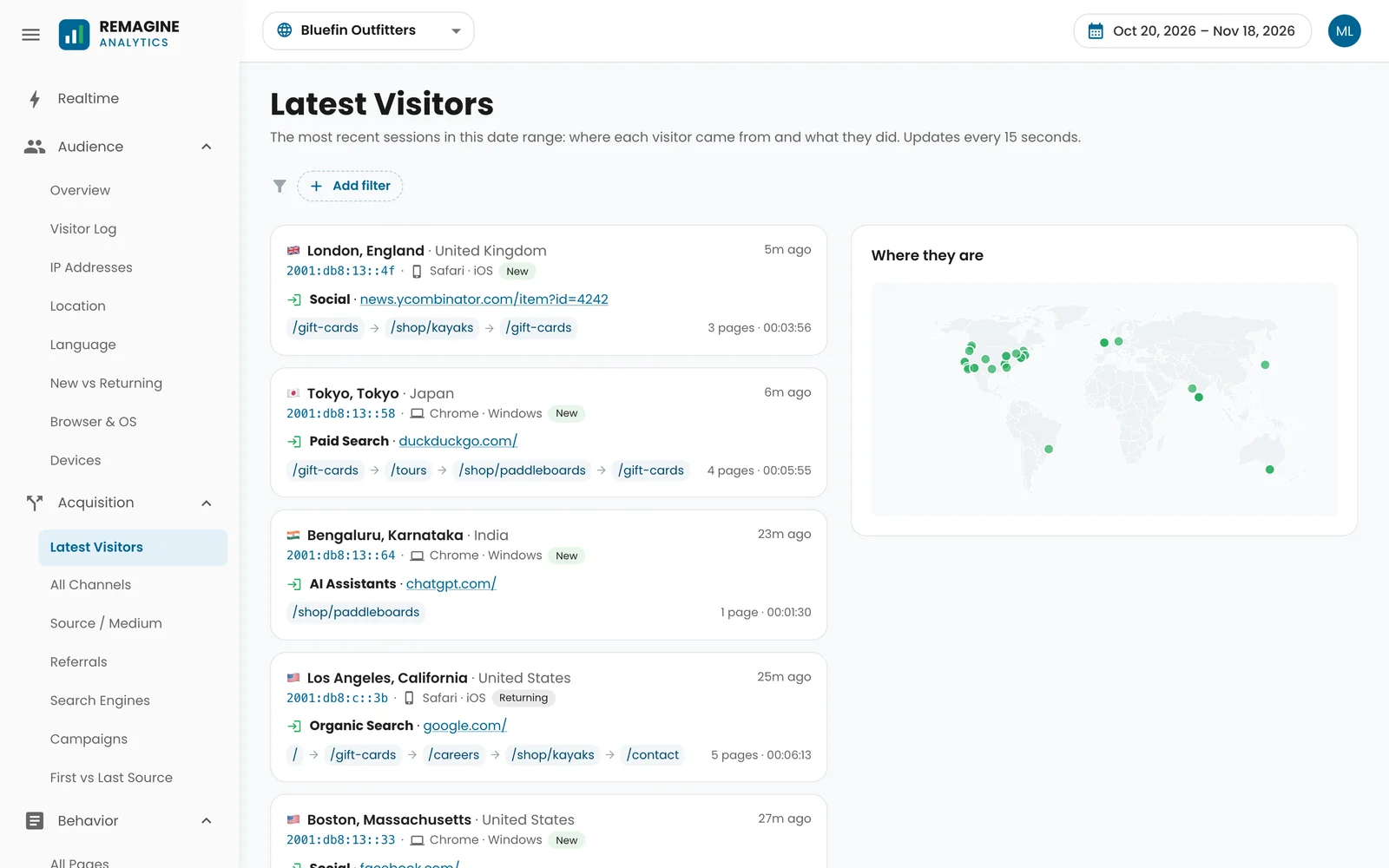
A live feed of the most recent visits: the city, IP address and device, the site or link that sent each one, and the pages they viewed, with their dots on a world map. It refreshes on its own every 15 seconds.
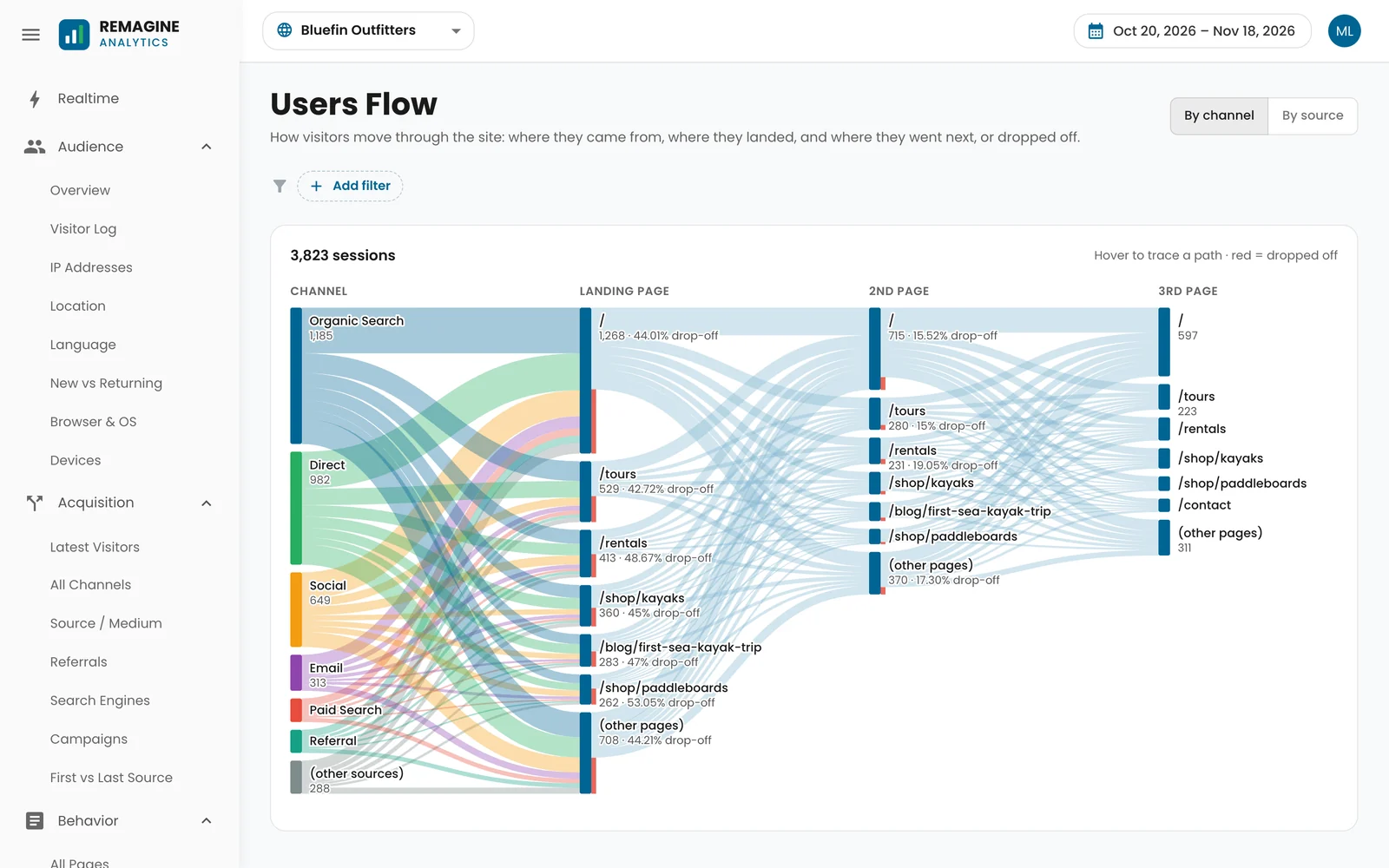
See every visit flow from its channel to the page it landed on, then the second and third pages, with how many dropped off at each step. Hover to trace a path; click a page to see its sessions.
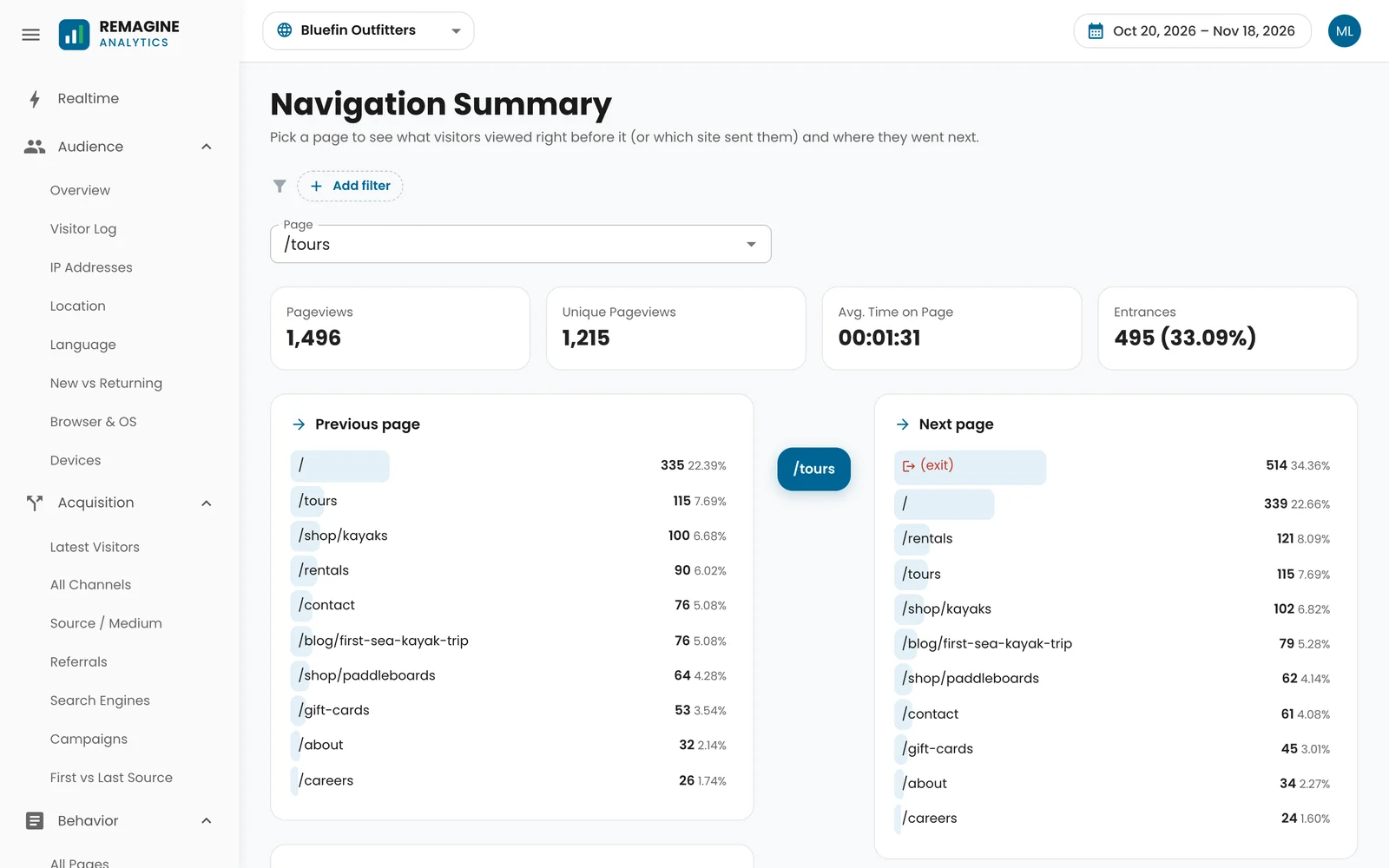
Pick a page and see what people viewed right before it, or which outside site sent them straight there, and where they went next, including how many left.
Every report works on a phone too, so you can check today’s visitors, see where a spike came from or open a single visit wherever you are.


A lot of analytics has gone vague: modeled numbers, hidden referrers, no way to look at a single visit. REMAGINE Analytics keeps the detail.
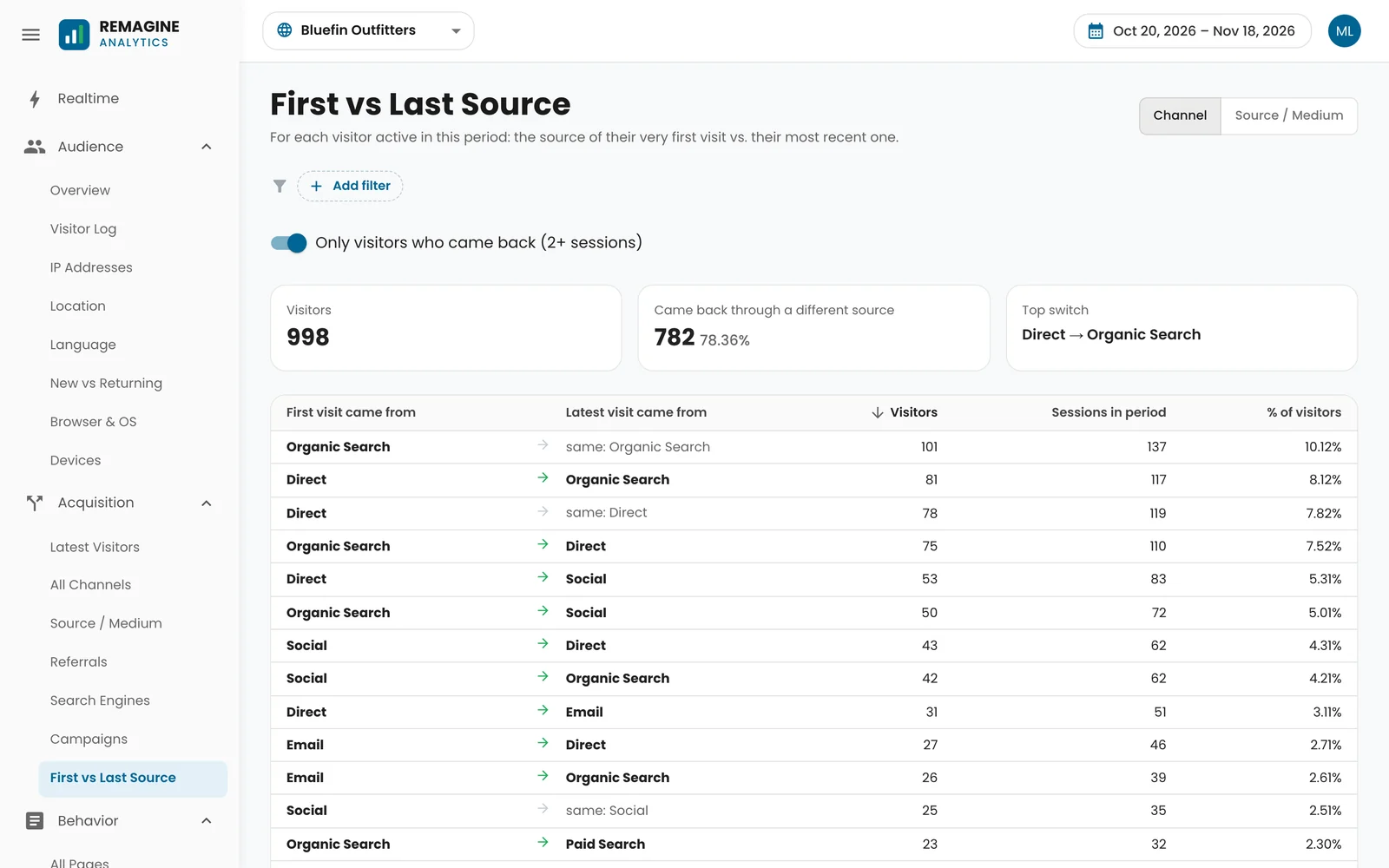
Track your own sites and your clients’, each in its own project with its own tracking code, and decide exactly who sees each one.
Create a project for your website and paste its one-line tracking code into the head of every page. A live check on the setup screen turns green as soon as the first visit arrives.
Yes. Past stats from a third-party analytics service can be added to a project as daily totals, so the overview, channels, referrals, locations, pages and more go back further than the day you started. Reports about individual visits, like the Visitor Log, begin when your REMAGINE tracking does, and say so.
Yes. Each visit shows the IP address it came from, alongside the place, the device and the source. Storing IP addresses is personal data in many places, so mention analytics in your privacy policy.
No. Open any page of your site once with ?ra_ignore=1 added to the address and that browser is no longer counted. Bots and crawlers are filtered out too.
Yes. Share a project with another account as a viewer, who sees the reports, or an admin, who can also change and share the project. Everyone sees only the projects they own or that were shared with them.
Yes. Moving between pages in a single-page app is counted as a pageview automatically, and there are options for sites that use # routes or want to send pageviews themselves.
It’s used to show you your reports. It’s never sold, never used for advertising and never combined with other customers’ data, and the tracking code sets no advertising or cross-site cookies. You can also have it honor your visitors’ Do Not Track setting.
Not yet. REMAGINE Analytics is invitation-only for now. Request an invite, tell us about the website you’d like to track, and we’ll be in touch when there’s room.
REMAGINE Analytics is invitation-only for now. Tell us about the website you’d like to track, and we’ll be in touch when there’s room