Ship Tracking and Cruise Companion

WakeGrid

Every ship, live. Every trip, logged.

WakeGrid shows the world’s ships moving on a live map, from giant cruise ships to fishing boats. Follow a ship or a whole cruise line, plan your cruise day by day, keep a Captain’s log of everything you did, and share the trip with the people at home. It’s invitation-only for now.

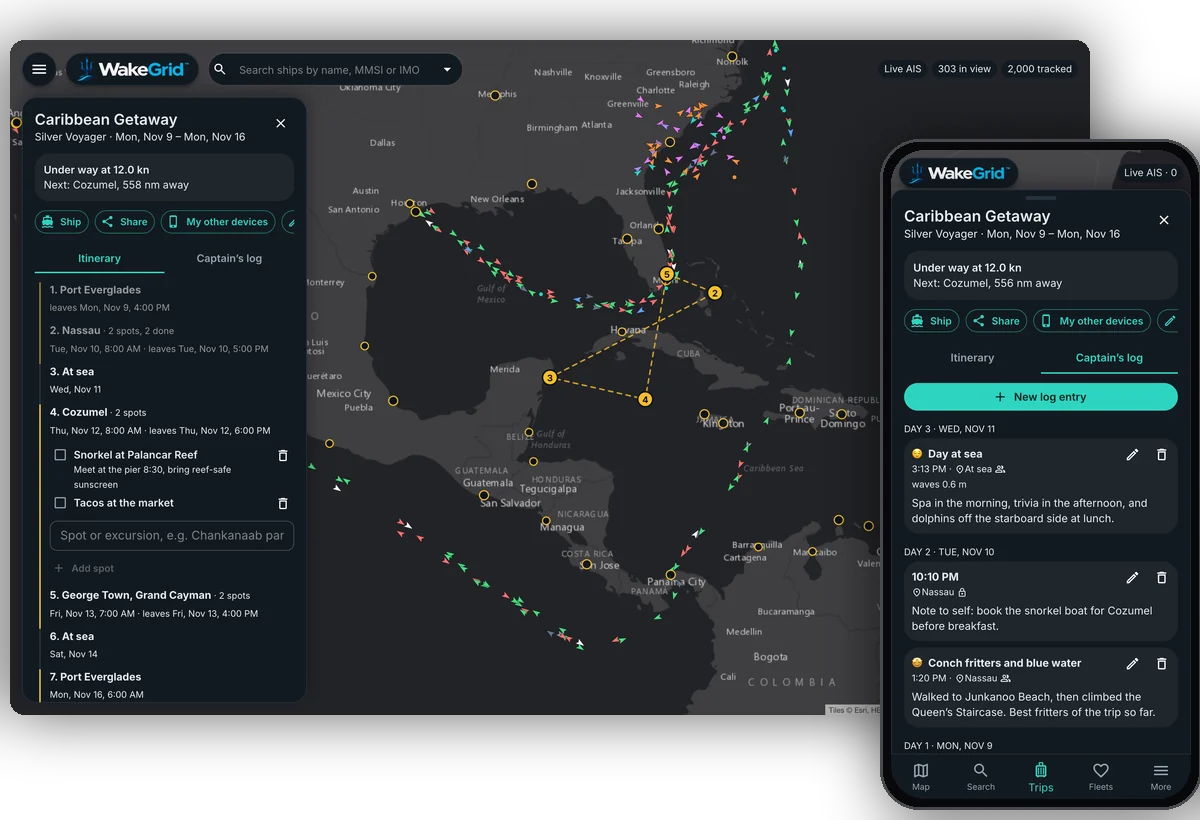
WakeGrid on a computer showing a Caribbean cruise itinerary on the map, and on a phone showing the trip’s Captain’s log
LiveShip Positions
1,000+Ports Watched
TripsItinerary and Excursions
LogYour Captain’s Log
Features

From the Whole Ocean to Your Cabin

Watch the world’s shipping, keep an eye on the ships you care about, and carry your whole cruise in your pocket.

Live Ship Map

Ships around the world on one map, colored by type, gathered into bubbles when you zoom out and pointing their way when you zoom in.

Find Any Ship

Search by name, MMSI or IMO number, or tap one on the map for its speed, course, destination and how long until it gets there.

Tracks and Port Calls

Where a ship has been over the last week, drawn on the map, and every port it has arrived in and left.

Ports

Ships in port, recent arrivals and departures, and ships on their way, for more than a thousand ports.

Cruise Ships Only

One switch for just the cruise ships, and a chip for each cruise line to narrow it down to the ones you follow.

Watch Ships and Fleets

Watch a ship or a whole cruise line, highlighted on the map, even ships that haven’t been heard yet.

Alerts

A notification when a watched ship arrives in port, leaves, or comes back into range after time at sea.

Weather at the Ship

Wind, gusts, waves and sea temperature where a ship is right now, and a rain radar layer for the map.

Trips

Your ship, dates and itinerary, pasted straight from your booking email, with the stops drawn on the map and the next one counted down.

Excursions and Spots

The tours, beaches and restaurants you want at each stop, with notes and links, ticked off as you go.

Captain’s Log

A journal of the trip, each entry stamped with the place and the weather, private or shared.

Share With Family

One link lets the people at home follow the ship, the itinerary and the log entries you share.
Take the Tour

See WakeGrid at Work

A look around WakeGrid with example ships and a made-up Caribbean cruise. Click any screenshot to see it full size.
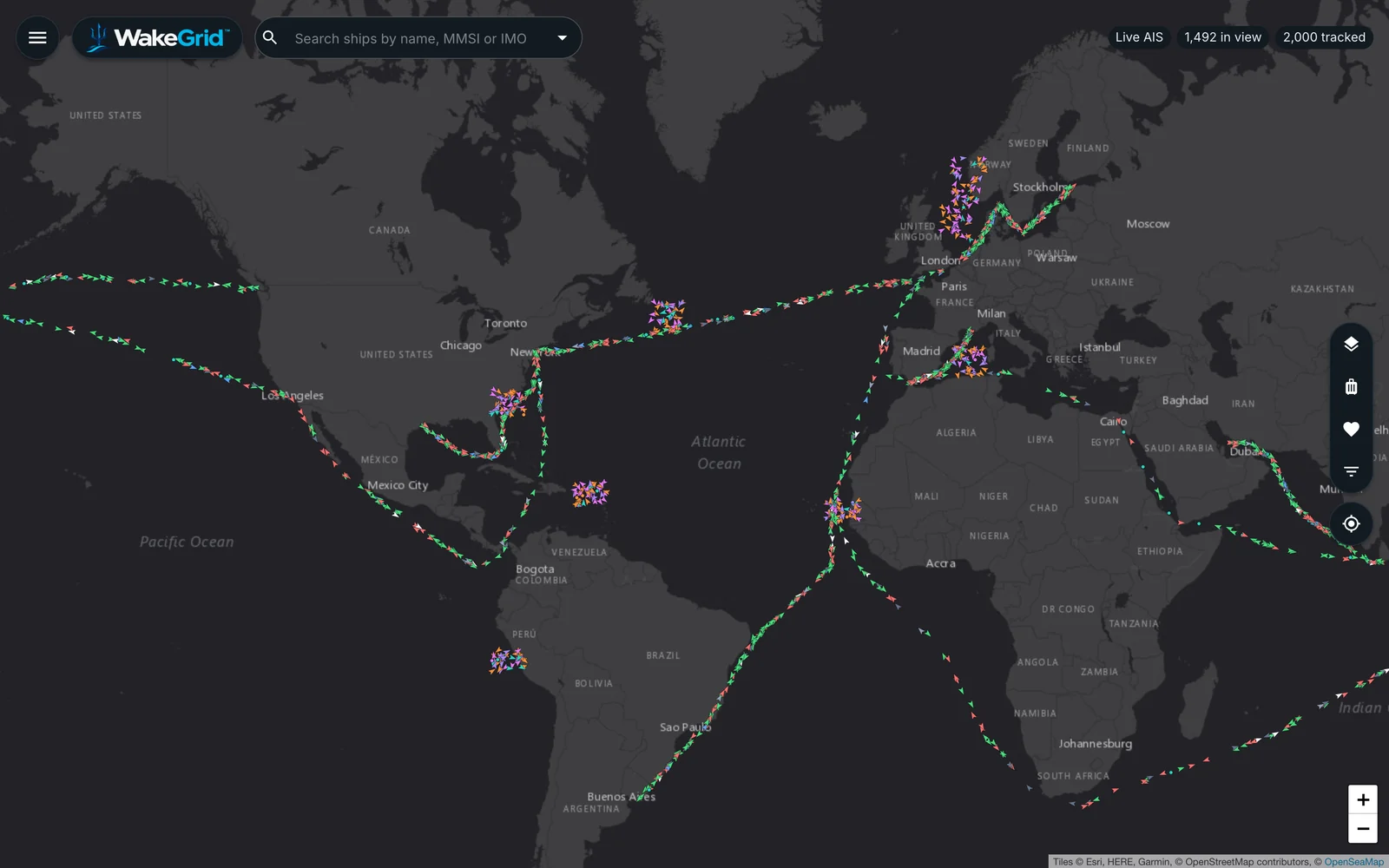
WakeGrid’s live map of the Atlantic, with ships along the main shipping lanes between the Americas, Europe and Africa
Live Map

The World’s Ships, Moving

Every ship WakeGrid hears, on one map, colored by type: cruise ships, cargo, tankers, ferries, fishing boats and more. Zoom out and nearby ships gather into numbered bubbles; zoom in and each one points the way it’s heading. The map opens on your part of the world and remembers where you left it.
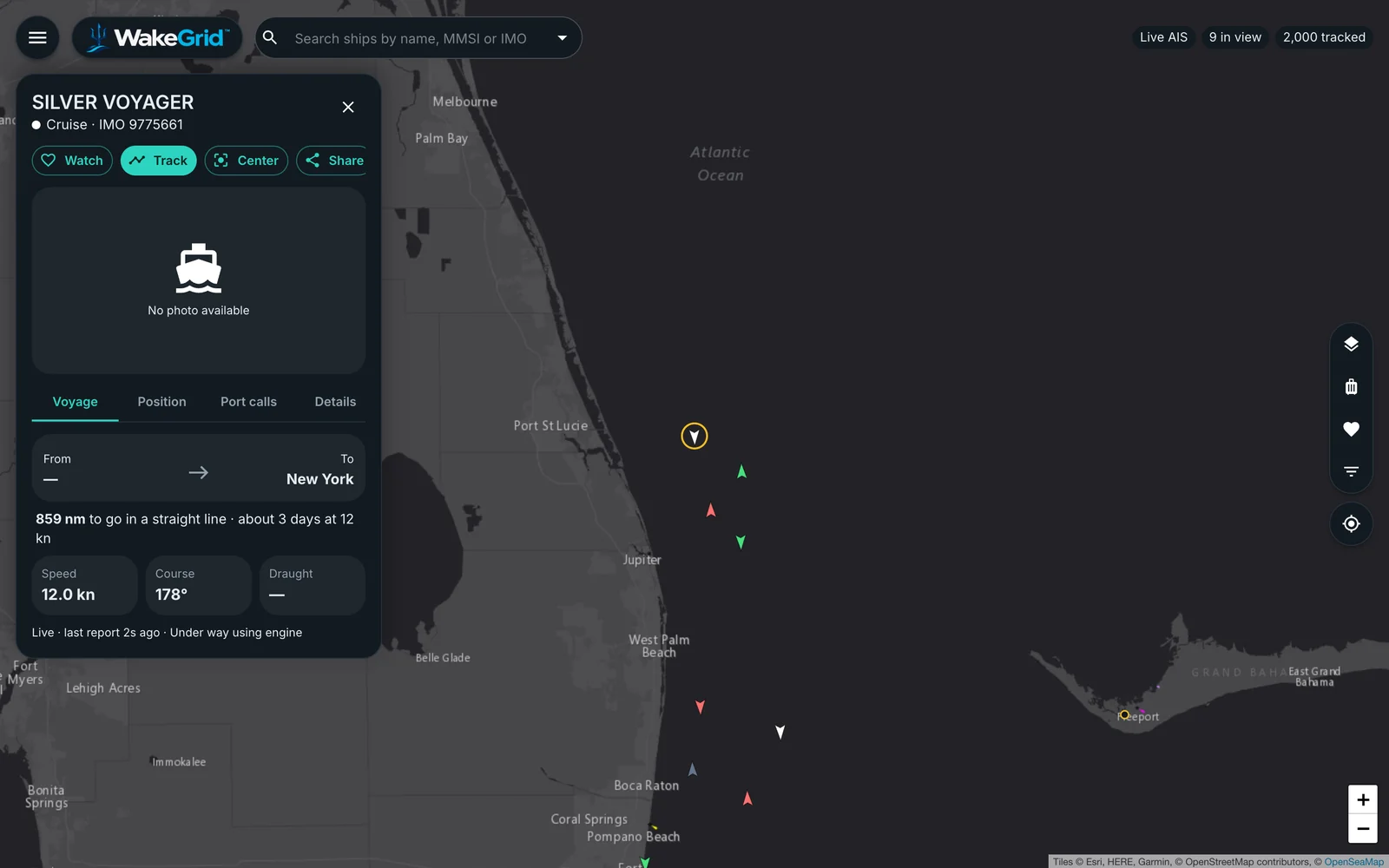
A cruise ship’s details off the Florida coast: under way at 12 knots, bound for New York, 880 nautical miles to go
Any Ship

Where It Is, Where It’s Going

Tap a ship for its speed, course and destination, matched to a real port with the distance to go and the time at its current speed. See its track over the last week, the ports it has called at, and the wind, waves and sea temperature where it is right now.
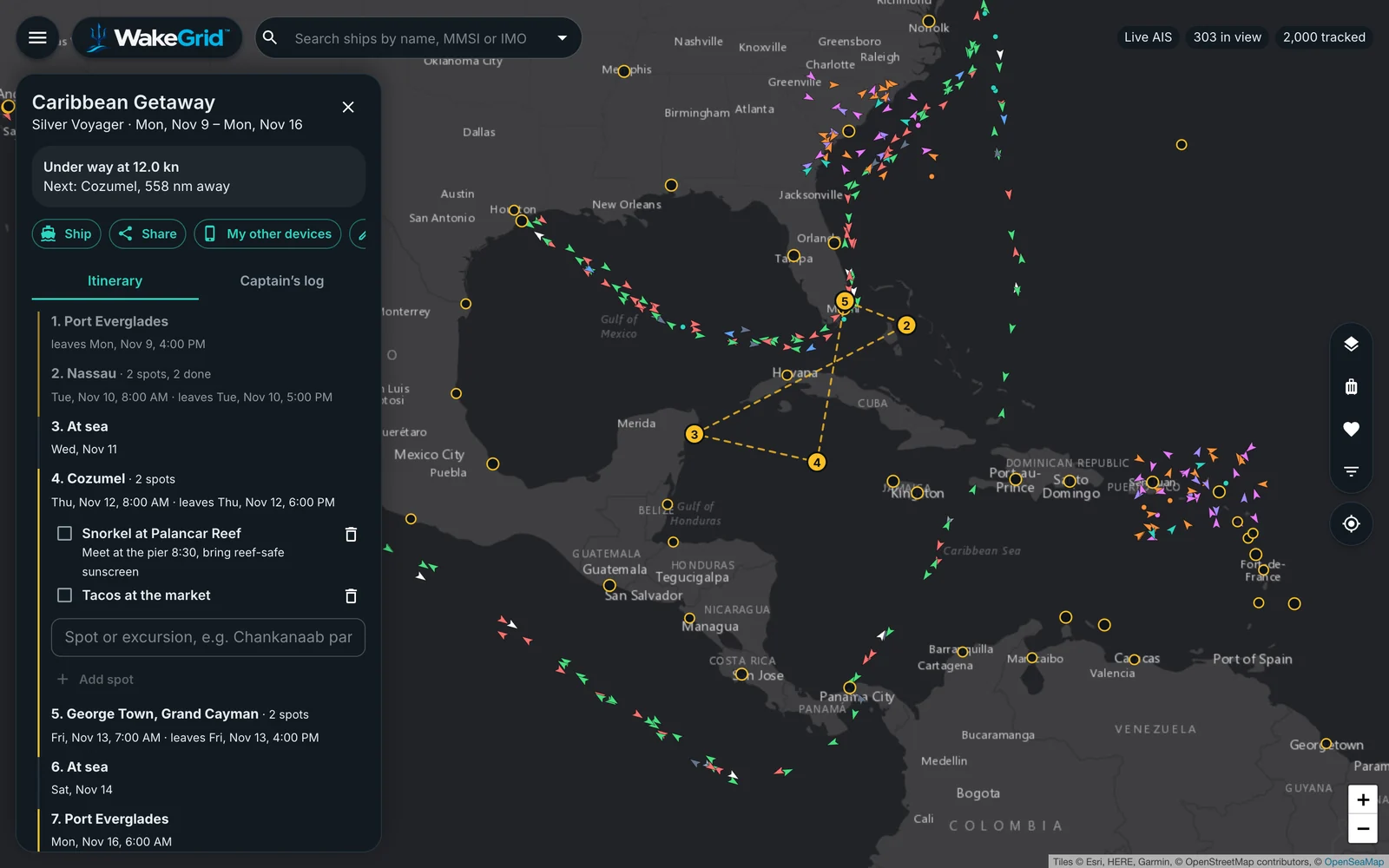
A Caribbean Getaway trip: the ship under way with the next stop, Cozumel, and the itinerary with two excursions planned in Cozumel
Trips

Your Cruise, Day by Day

Pick your ship and your dates, and paste the itinerary from your booking email: WakeGrid reads the ports, sea days and times. The stops are drawn on the map, the next one shows how far the ship has to go, and each stop holds the excursions and spots you want to see, ticked off as you go.
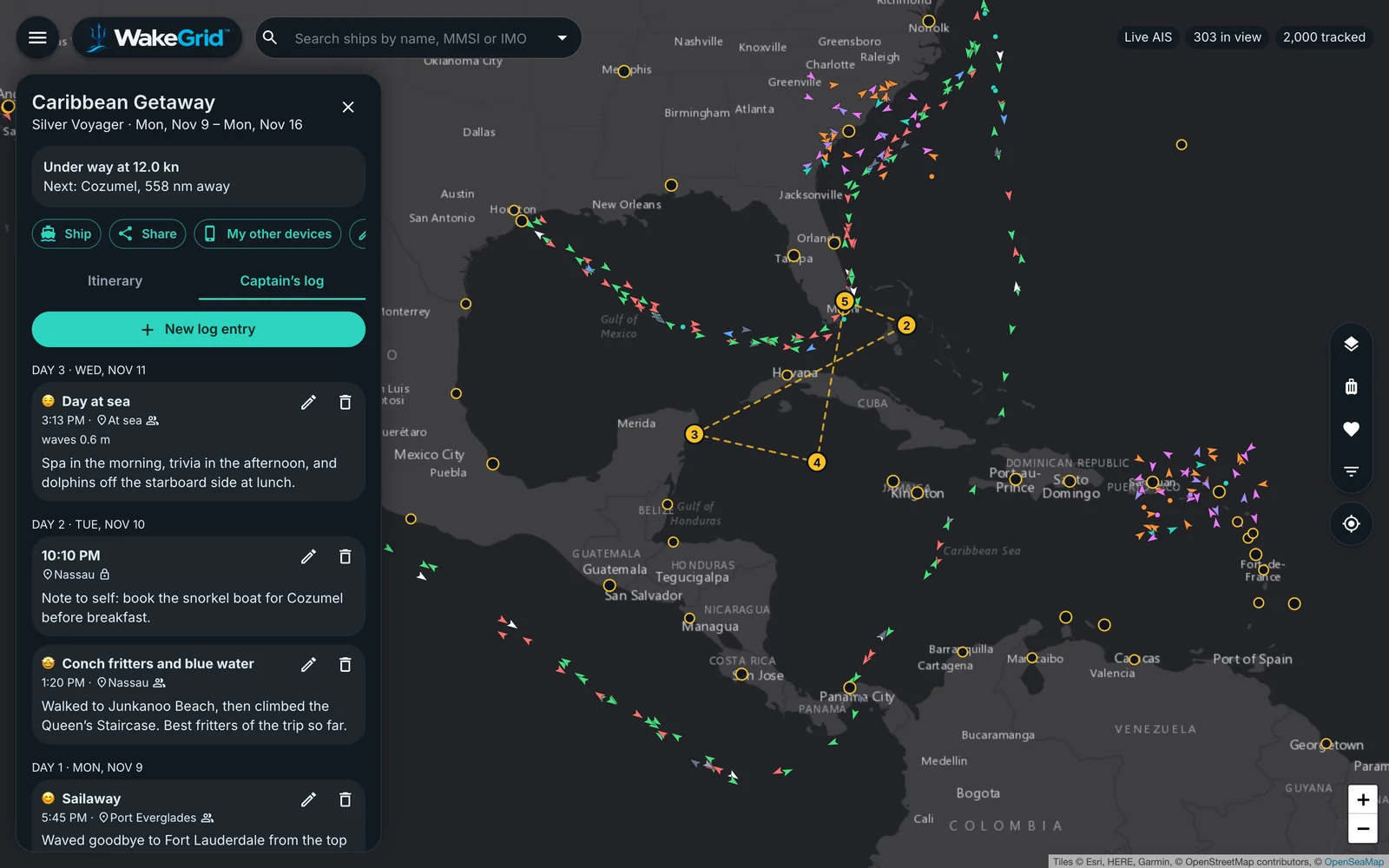
The Captain’s log for a Caribbean trip: entries for a day at sea with its weather, an evening note in Nassau and a sailaway, grouped by day
Captain’s Log

Remember Every Day

Write what you did, saw and ate, with a mood for the day. Each entry is stamped with where it was written and the weather there, and grouped by day of the trip. No signal at sea? Entries wait on your phone and send themselves when you’re back online.
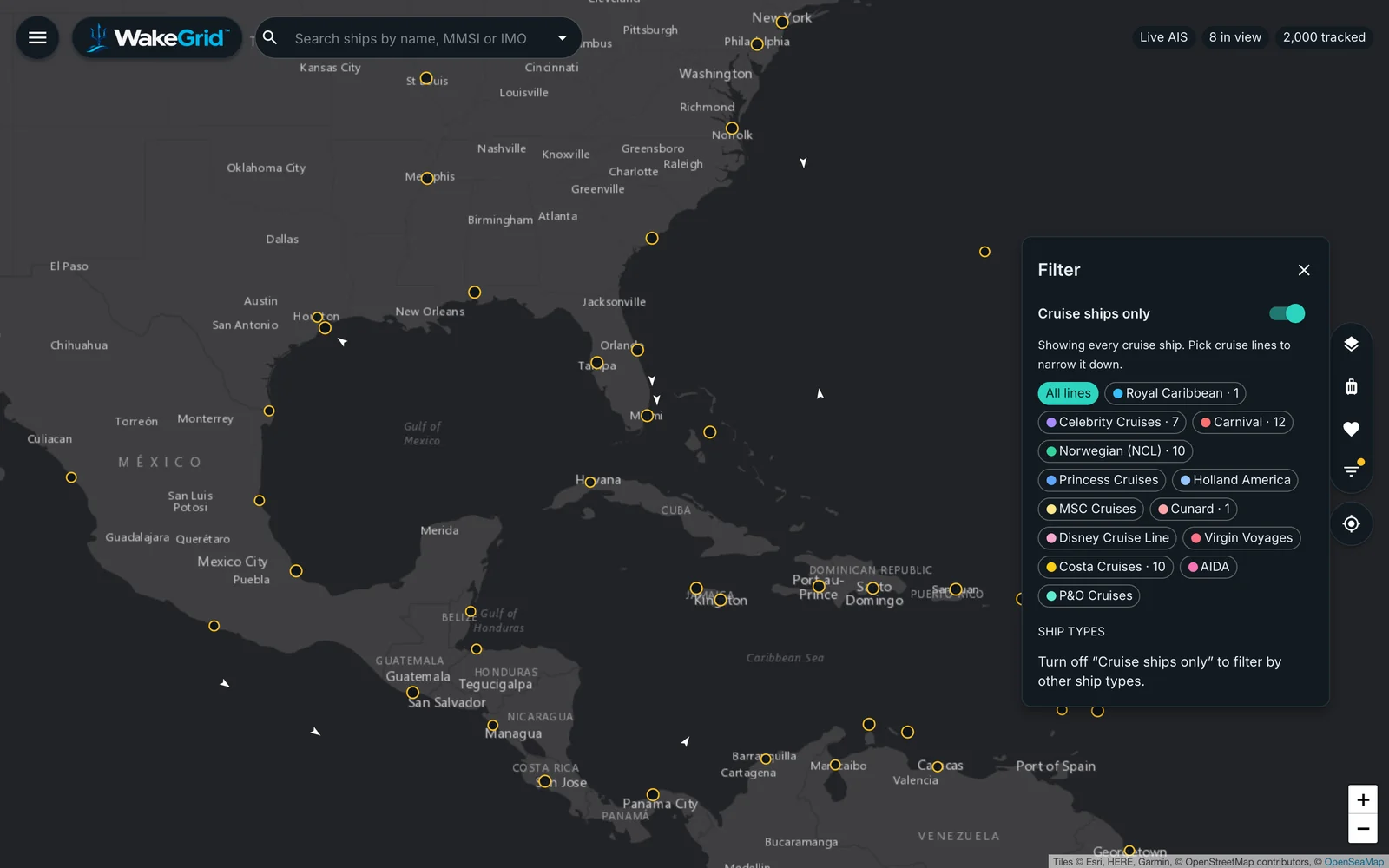
The filter with Cruise ships only switched on, showing a chip for each cruise line, over a map of the Caribbean
Cruise Ships

Just the Cruise Ships

One switch hides everything but cruise ships. Pick one cruise line or several to see only their ships, or follow a whole fleet and get an alert when any of its ships comes into range.

On Your Phone

Made for the Deck

WakeGrid is built for a phone first: a tab bar for the map, search, trips and fleets, sheets you drag up and down, and everything else one tap away under More.

WakeGrid on a phone: the live map of the Americas with the Map, Search, Trips, Fleets and More tabs
Live Map
WakeGrid on a phone: a cruise ship’s details over the map, bound for New York
A Ship
WakeGrid on a phone: the Caribbean Getaway itinerary with excursions in Cozumel
Trip
WakeGrid on a phone: Captain’s log entries with the place and weather
Captain’s Log
WakeGrid on a phone: the cruise line filter
Cruise Ships Only
The Difference

Built for the Trip, Not Just the Map

Most ship trackers stop at a dot on a map. WakeGrid goes on the cruise with you.

Your Itinerary, Read for You

Paste the booking email and the ports, sea days and times are there, private islands included.

A Log That Fills Itself In

Write a line and WakeGrid adds where you were, the day of the trip and the weather.

Ready for Ship Wi-Fi

Low-data mode for slow connections, and log entries that wait on your phone until there’s signal.

Private Unless You Share

Log entries are yours alone until you mark them shared, and the family link never shows your exact spot.

Opens Where You Are

The map starts on your part of the world and comes back to where you left it.

No App Store Needed

Add WakeGrid to your home screen and it opens full screen, like an app.
A Caribbean Getaway trip with its stops drawn on the map and excursions planned in Cozumel
For Cruisers

Bring the People at Home Along

Share one link and your family can see where the ship is tonight, where it docks tomorrow, and the moments you chose to write down.

  • Where the Ship IsIts position, speed and the next stop, with the distance to go.
  • The Whole ItineraryEvery port and sea day, and the excursions at each stop.
  • The Log You ShareThe entries you mark shared, with the place and the weather that day.
  • Read-OnlyNobody with the family link can change your trip or see your private notes.
Specifications

What It Covers

Ships
Live positions from the radio signal ships broadcast, heard by receivers on shore: cruise ships, cargo, tankers, ferries, fishing and pleasure boats
Access
Invitation-only for now
Ship Details
Speed, course, destination matched to a port, distance to go, time at current speed, flag, size and photo where one exists
History
A ship’s track over the last week and the ports it has called at, with arrival and departure times
Ports
More than a thousand ports, each with the ships in port, recent arrivals and departures, and ships expected
Cruise Lines
Ships of thirteen major cruise lines recognized, with a filter for cruise ships only or chosen lines
Weather
Wind, gusts, waves and sea temperature where a ship is, and an optional rain radar layer
Trips
Ship, dates and itinerary (pasted from a booking email or added stop by stop), with excursions and spots at each stop
Captain’s Log
Entries with a title, mood and time, stamped with the place and the weather, private or shared, written offline if need be
Sharing
A read-only trip link for family and friends: where the ship is, the next stop, the itinerary and the log entries you share
Alerts
Notifications when a watched ship arrives in or leaves a port, or comes back into range after time at sea
Devices
Any modern browser on a computer, tablet or phone; add it to your home screen to open it like an app
FAQ

Questions Before You Sail

Where do the ship positions come from?

Ships broadcast their position by radio, and receivers on shore pick it up. Near coasts and ports, positions update every few seconds to minutes. Far out at sea a ship can be out of range for a while; WakeGrid shows when it was last heard and picks it up again as soon as it’s back.

Can my family follow my cruise?

Yes. Share your trip’s read-only link and they see where the ship is, the next stop, your itinerary and the Captain’s log entries you choose to share. They see the place, never your exact spot, and they can’t change anything.

Does it work on ship Wi-Fi?

Yes. Low-data mode refreshes less often, skips heavy map layers and loads photos only when you tap. Captain’s log entries written without a connection wait on your phone and send themselves when you’re back online.

Do I have to type in my itinerary?

Paste the day-by-day itinerary from your booking email and WakeGrid reads the dates, ports, sea days and times, including the private islands cruise lines stop at. You can also add or change stops by hand.

Can I follow a whole cruise line?

Yes. Watch a whole fleet and its ships are highlighted on the map. Ships that haven’t been heard yet are watched too, and you can get an alert when one comes into range.

Is there an app to install?

No install needed: WakeGrid runs in your phone’s browser. Add it to your home screen and it opens full screen from its own icon, like an app, and can send alerts.

Can anyone sign up?

Not yet. WakeGrid is invitation-only for now. Request an invite, tell us what you’d like to follow, and we’ll be in touch when there’s room.

Ready to Set Sail?

WakeGrid is invitation-only for now. Tell us which ships or cruise you’d like to follow, and we’ll be in touch when there’s room


More Products

More From REMAGINE

Products designed, built and run by the same team.

Nomos GRC logoGnosys Hub logoCiao CRM logoPiddx logoArtifx logoShoutVector logoRSQ Desk logoF-StopIQ logoIANTERNET Bartender logo